
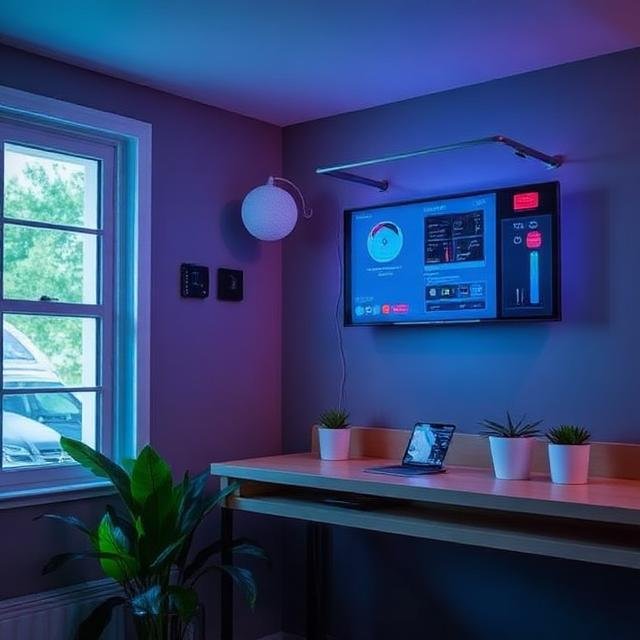
Have you ever walked into your house and wished the lights would turn on automatically? Or imagined your coffee brewing before you even step into the kitchen? That’s the magic of home automation systems. And here’s the best part — setting one up is easier than most people think.
You don’t need to be a tech wizard. You don’t need complicated wiring. And you definitely don’t need to spend a fortune. With the right approach, you can turn your house into a smart, automated home in just a few simple steps.
Let’s break it down in plain English so you can get started today.
🤖 What Is a Home Automation System?
A home automation system connects your devices — lights, thermostats, cameras, locks, and more — so they can be controlled automatically or remotely through an app or voice assistant.
Instead of manually adjusting everything, you create “rules” or “routines.” For example:
- Lights turn on at sunset
- Thermostat adjusts when you leave home
- Doors lock automatically at night
- Coffee machine starts at 7:00 AM
It’s like having a digital assistant running your home behind the scenes.
🎯 Step 1: Decide What You Want to Automate
Before buying anything, ask yourself:
What would make my life easier?
Some popular beginner automation ideas include:
- Smart lighting
- Smart plugs
- Smart thermostats
- Smart door locks
- Security cameras
- Smart doorbells
Start small. You don’t need to automate everything at once. Think of it like building blocks — add pieces over time.
📶 Step 2: Make Sure Your Wi-Fi Is Ready
Your Wi-Fi is the foundation of your smart home.
Before setting up automation:
- Ensure strong coverage in every room
- Update your router firmware
- Use strong encryption (WPA3 if available)
- Create a secure password
If your Wi-Fi signal is weak in certain areas, consider adding Wi-Fi extenders or a mesh network. A strong connection prevents frustrating disconnections later.
🧠 Step 3: Choose a Smart Home Ecosystem
This is important. Your devices should work together smoothly.
Most people choose one primary platform, such as:
- Google Assistant
- Amazon Alexa
- Apple HomeKit
When choosing devices, check compatibility. It’s like making sure puzzle pieces fit together. Sticking to one ecosystem makes automation easier and smoother.
💡 Step 4: Start with Smart Plugs or Smart Bulbs
If you’re a beginner, start simple.
Why Smart Plugs?
Smart plugs let you automate almost anything you plug into them:
- Lamps
- Coffee makers
- Fans
- Holiday lights
You plug them into the wall, connect them to Wi-Fi, and control them from your phone. That’s it.
Why Smart Bulbs?
Smart bulbs allow you to:
- Control brightness
- Change colors
- Schedule on/off times
- Control lights with voice commands
They’re affordable, easy to install, and a great introduction to automation.
📱 Step 5: Install the App and Connect Devices
Each smart device comes with an app.
The setup process usually looks like this:
- Download the app
- Create an account
- Plug in the device
- Connect it to Wi-Fi
- Add it to your smart assistant
Most apps guide you step by step. It usually takes less than 10 minutes per device.
🔄 Step 6: Create Simple Automation Routines
This is where the fun begins.
Automation works on “if this, then that” logic.
For example:
- If it’s 7:00 AM → Turn on bedroom lights
- If I leave home → Turn off lights and adjust thermostat
- If motion is detected → Turn on hallway lights
Start with one or two routines. Keep it simple. Once you see how easy it is, you’ll want to create more.
🔐 Step 7: Secure Your Automation System
Convenience is amazing, but security matters too.
Make sure to:
- Use strong, unique passwords
- Enable two-factor authentication
- Keep devices updated
- Create a separate guest network for smart devices
Security ensures your smart home stays safe and private.
🌡️ Step 8: Add Smart Thermostats and Energy Control
Once you’re comfortable, upgrade to bigger devices like a smart thermostat.
Smart thermostats can:
- Learn your schedule
- Adjust temperatures automatically
- Save energy
- Lower electricity bills
You can control them remotely, so no more worrying if you forgot to turn off the AC.
It’s like having a smart energy manager for your home.
🚪 Step 9: Automate Security Features
Home automation isn’t just about convenience — it’s also about safety.
Consider adding:
- Smart locks
- Smart doorbells
- Indoor/outdoor cameras
- Motion sensors
You can create automation like:
- Lock doors automatically at bedtime
- Get alerts when someone rings the doorbell
- Turn on lights if motion is detected outside
That’s peace of mind, built into your daily routine.
🎙️ Step 10: Use Voice Control for Easy Access
Voice assistants make automation effortless.
Instead of opening an app, you can say:
- “Turn off all lights.”
- “Set temperature to 72 degrees.”
- “Lock the front door.”
It feels futuristic, but it’s surprisingly simple to set up. Once you connect your devices to your smart assistant, everything becomes hands-free.
📊 Benefits of Setting Up Home Automation
Here’s what you gain:
| Benefit | How It Helps |
|---|---|
| Convenience | Control everything from your phone |
| Energy Savings | Reduce power usage automatically |
| Security | Monitor and protect your home remotely |
| Comfort | Personalize lighting and temperature |
| Time Saving | Automate repetitive daily tasks |
Home automation isn’t just about cool gadgets — it genuinely improves daily life.
⚠️ Common Mistakes to Avoid
Even though setup is easy, avoid these beginner mistakes:
- Mixing incompatible brands
- Ignoring firmware updates
- Overcomplicating routines
- Weak Wi-Fi coverage
- Using the same password everywhere
Keep it simple. Expand gradually.
🏡 Expanding Your Smart Home Over Time
Once you get comfortable, you can add:
- Smart blinds
- Smart irrigation systems
- Smart appliances
- Whole-home audio systems
- Automated garage doors
Think of your smart home like a growing ecosystem. Add features as your needs evolve.
🎉 Final Thoughts
Setting up a home automation system doesn’t have to be complicated. In fact, it can be one of the most satisfying upgrades you make to your home. Start small. Choose compatible devices. Focus on simple routines. Build confidence step by step.
Before you know it, your home will respond to you — lighting up when you enter, adjusting to your preferences, and handling daily tasks automatically.
It’s not just smart. It’s practical. It’s efficient. And it’s easier than you think.